Do Save the Dates Have to Match Wedding Invitations?
Choose how closely your Nikah or Walima Save the Date should match the full invitation, with four design examples and a practical designer brief.
Do Save the Dates have to match wedding invitations?
No. Your Save the Date and wedding invitation can share a colour, motif or overall feeling without looking identical. You can also choose a different design later. For a Nikah or Walima, the important continuity is that guests recognise the couple and understand which celebration, date and location each message refers to.
Paperless Post's Save the Date guidance also treats matching as optional and advises against delaying an announcement just to settle its relationship to the final invitation. The ideas below help you choose how closely to coordinate your own pieces, whether the next step is a card, video or wedding website.
First agree on what must stay clear
Before comparing flowers and fonts, place the announcement beside the later invitation and check four details.
- The couple: names should identify the same people, with approved spelling. A short first-name announcement can lead to a more formal invitation with full names and family introductions.
- The event: keep Nikah, Walima and any other celebration clearly labelled. A guest should not have to infer the event from its colour.
- The date: attach each confirmed date to the correct gathering. Two matching designs can still contain a serious mistake if a date is copied from one event to another.
- The location: a city on the Save the Date can become a full venue address later. The extra detail should clarify the original location, not quietly contradict it.
Visual consistency cannot resolve a change in the plans. If an event date or city changes, communicate that change directly. Our Change the Date wording guide covers that separate situation.
Choose one of three levels of coordination
1. A closely matched set
Repeat the main palette, artwork and name treatment across the announcement and invitation. Simplify the Save the Date so the date remains easy to notice, then allow the later piece more room for the event details.
Ask to see how the visual style behaves in the intended final format. A lovely square announcement does not automatically become a readable portrait video or a comfortable wedding website.
2. A coordinated family of designs
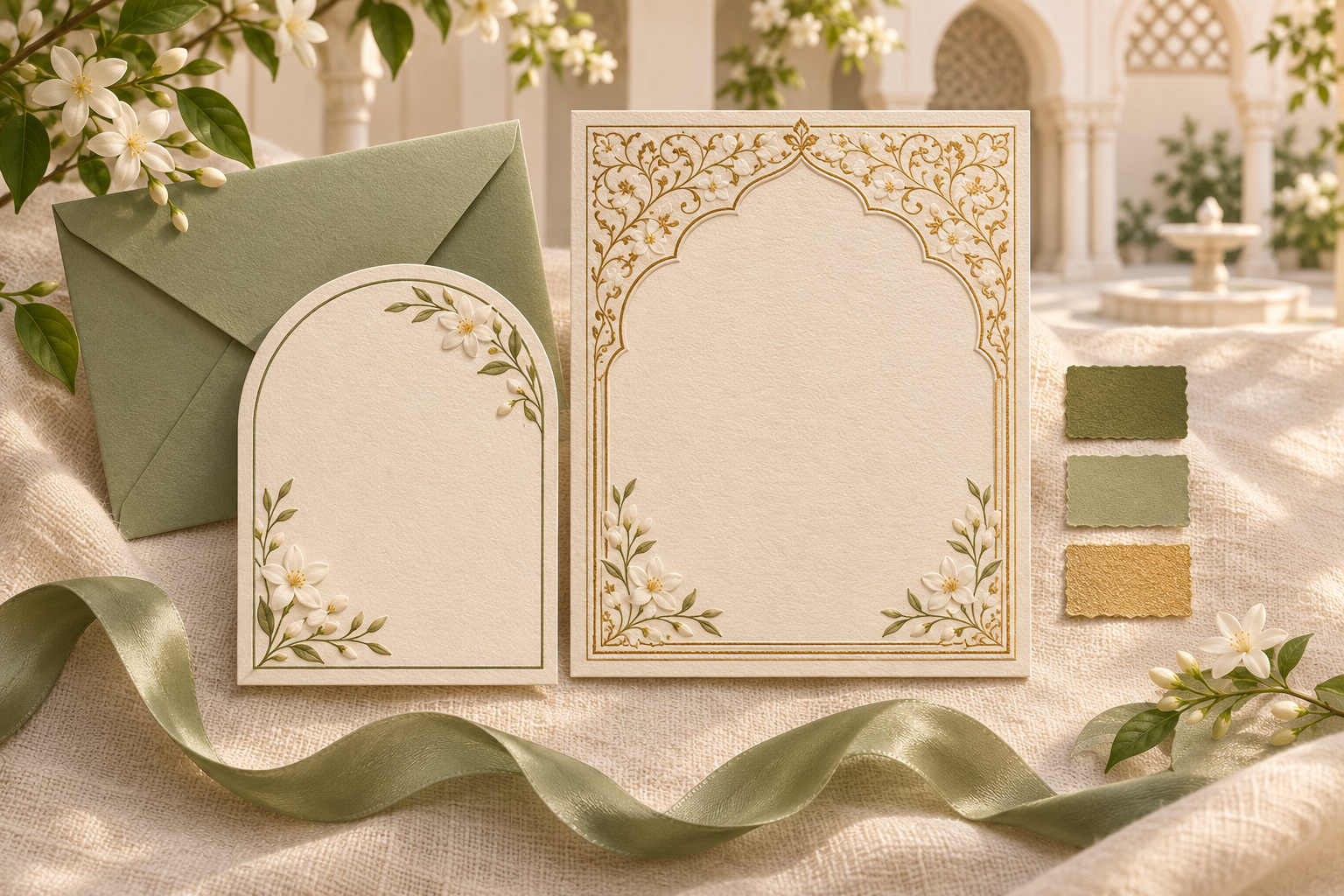
Keep one or two connections while letting each piece do its own job. For example, retain an olive accent and a jasmine motif, but change the border, background or amount of ornament.
This is often a useful starting point when the invitation format is known but the final decoration is not. Tell the designer exactly which elements matter to you. “Keep the small jasmine detail and the calm ivory background” is more actionable than “make it feel the same”.
3. A fresh design for the full invitation
Choose a different visual direction later if your preferences or celebration plans develop. A simple typographic Save the Date can be followed by a richly illustrated invitation. A photo-led announcement can lead to a photo-free website.
Keep the factual information easy to reconcile and send the new piece with a clear message that it is the full invitation. You do not need to explain every aesthetic change to guests. Focus their attention on the information they need next.
Four practical design examples
These are illustrative directions to discuss with a designer, not promises that every template or package supports every change.
A quiet announcement followed by a formal Nikah invitation
Save the Date: an ivory background, the couple's names, a fine olive line and one clearly written date.
Full invitation: the same olive accent with a more detailed arch, family introductions and separate lines for arrival and ceremony information.
What connects them: colour and an approved name treatment. The full invitation does not need to preserve the announcement's empty space or line breaks once it carries more information.
A photograph followed by a photo-free wedding website
Save the Date: one approved photograph with a restrained cream caption area.
Wedding website: cream sections, a related accent colour and botanical artwork rather than more personal images.
What connects them: the palette and a similar tone of welcome. Guests do not need to see the same photograph again to understand that the website belongs to the same celebration. If this suits your preferences, explore our photo-free wedding website guide.
A still Save the Date followed by a video invitation
Save the Date: a simple still design with a small arch motif and a strong date line.
Invitation video: a related arch appears in the opening, followed by readable scenes for names, event details and the next step for guests.
What connects them: one visual motif. The video can use different spacing and scene lengths rather than moving every element from the still image at once. Choose the format on its usefulness to your guests; our static or animated Save the Date guide explores that earlier decision.
Related Nikah and Walima designs with distinct labels
Nikah invitation: ivory and olive, with the Nikah name and its own date placed prominently.
Walima invitation: ivory and muted gold, with the Walima name and its own date equally clear.
What connects them: a shared border style or name treatment. What distinguishes them: written event labels and correct details, not colour alone. If guest lists differ, prepare and send the relevant version to each recipient. A coordinated suite should never imply that everyone is invited to every event.
You can leave room for an unfinished wedding style
If the date and general location are dependable but flowers, outfits or venue styling are still being discussed, choose an announcement that does not depend on those decisions. A restrained colour combination or simple name-led layout leaves space for the final invitation to develop.
Avoid presenting decorative artwork as confirmed venue information. An imagined courtyard illustration may create a mood, but it should not suggest that guests are attending a particular palace or hotel unless that is true.
You can also keep the final invitation medium undecided for a little longer. Tell the designer that the Save the Date may eventually accompany a website or a video, and ask what coordination would be feasible later. Do not assume that buying one format includes redesigning it for every other format.
If your website is still being prepared, the guide to sending a Save the Date before your wedding website is ready explains how to handle that handover without sending an unfinished guest link.
Give your designer a specific coordination brief
Send the actual approved announcement rather than relying on a verbal description. Then separate the details that must remain correct from the visual choices that can change.
You can adapt this brief:
Existing piece: We have attached the Save the Date already shared with guests. Please use it as a reference, not as a requirement to copy every element.
Confirmed information: Use the approved names and the event-specific dates and cities in the attached wording. Keep Nikah and Walima details separate wherever their arrangements differ.
Keep visually: We would like to carry forward [the olive accent / jasmine motif / approved monogram / simple name treatment].
Open to change: We are happy to change [the border / background / photograph use / layout / amount of ornament] so the full invitation remains readable.
Final format: We need [a wedding website / portrait invitation video / other agreed format]. Please confirm which changes are supported by our chosen design and package.
Approval: Please show us the relevant preview before delivery. We will return one combined list of wording and design corrections.
Share any required languages at the beginning. A decorative English name treatment may need a different layout alongside Urdu or Arabic. Agree on readable, approved versions rather than forcing every script into identical shapes or spacing.
What matching means when you plan with Noor
Noor's Save the Date service offers portrait announcements with personalised wording and typography. Static or short-motion options depend on the design, so confirm the format you want before planning a coordinated set.
For Noor wedding websites, a matching Save the Date is included with Signature and Bespoke and is an optional extra with Collection. The style, format and delivery are agreed with the brief. Collection retains its original design direction, while the other approaches provide different scopes for customisation.
If you already sent a Save the Date, share it when discussing the website. Explain whether you want a close match or a related direction, and ask what can be carried forward within the selected package. An invitation video is a separate optional service, so include it explicitly if you want one rather than assuming it comes with the website.
A final side-by-side check
Before approving the later invitation, open both pieces and ask someone who did not design them to check:
- Can they identify the couple without relying on the artwork?
- Does each event have the right date and location?
- Is it clear which piece is the early announcement and which is the full invitation?
- Are added names, family introductions and languages approved?
- Does the later piece remain readable with its extra information?
- If the design changed, can guests still find the details without guessing?
- If the arrangements changed, have guests received a separate, clear update?
Keep the intended visual relationship, but prioritise a clear invitation in the format your guests will actually receive.
Frequently asked questions
Can we change our wedding colours after sending Save the Dates?
Yes. You can choose a different palette for the invitation. If you want a connection, retain one small motif or the name treatment. A colour change on its own does not require a correction message to guests.
Do Nikah and Walima invitations have to look the same?
No. They can be closely matched, loosely coordinated or different. Keep each event's label, date, venue and intended guest group clear.
Does a digital Save the Date need to match printed invitations?
No. A shared colour or motif can connect them, but the layouts may need to differ for paper and phones. Ask the designer to review each actual output rather than assuming that one file can be used unchanged everywhere.
Should we resend the Save the Date because the invitation design changed?
Usually a new design alone does not call for a replacement announcement. Send the full invitation clearly when it is ready. If the date, city or event itself changed, handle that as a factual update and contact the affected guests directly.
Can we ask for matching designs after one piece is finished?
Yes, you can ask. Share the original file and explain which details you want to repeat. Confirm design compatibility, permissions for any artwork and the agreed scope before assuming an exact match is possible.
The goal is a recognisable, accurate invitation journey. Choose the amount of visual consistency you enjoy, and let every piece give guests the right information at the right stage.
Explore Noor’s four wedding website samples.
Open each live sample, compare the experience and ask us which design fits your celebration.
Two more useful reads.
 01
Your Muslim wedding website checklist
The names, timings, family details, venue information and photographs to gather before making your Muslim wedding website.
Read the guide → 02
Thoughtful wording for Nikah and Walima invitations
Practical Muslim wedding invitation wording for family introductions, Nikah details, Walima invitations and a warm guest welcome.
Read the guide →