
Static or Animated Save the Date for Nikah and Walima?
Choose between a still announcement and short motion for your Nikah or Walima, with matching wording examples, questions to ask and a phone-preview checklist.
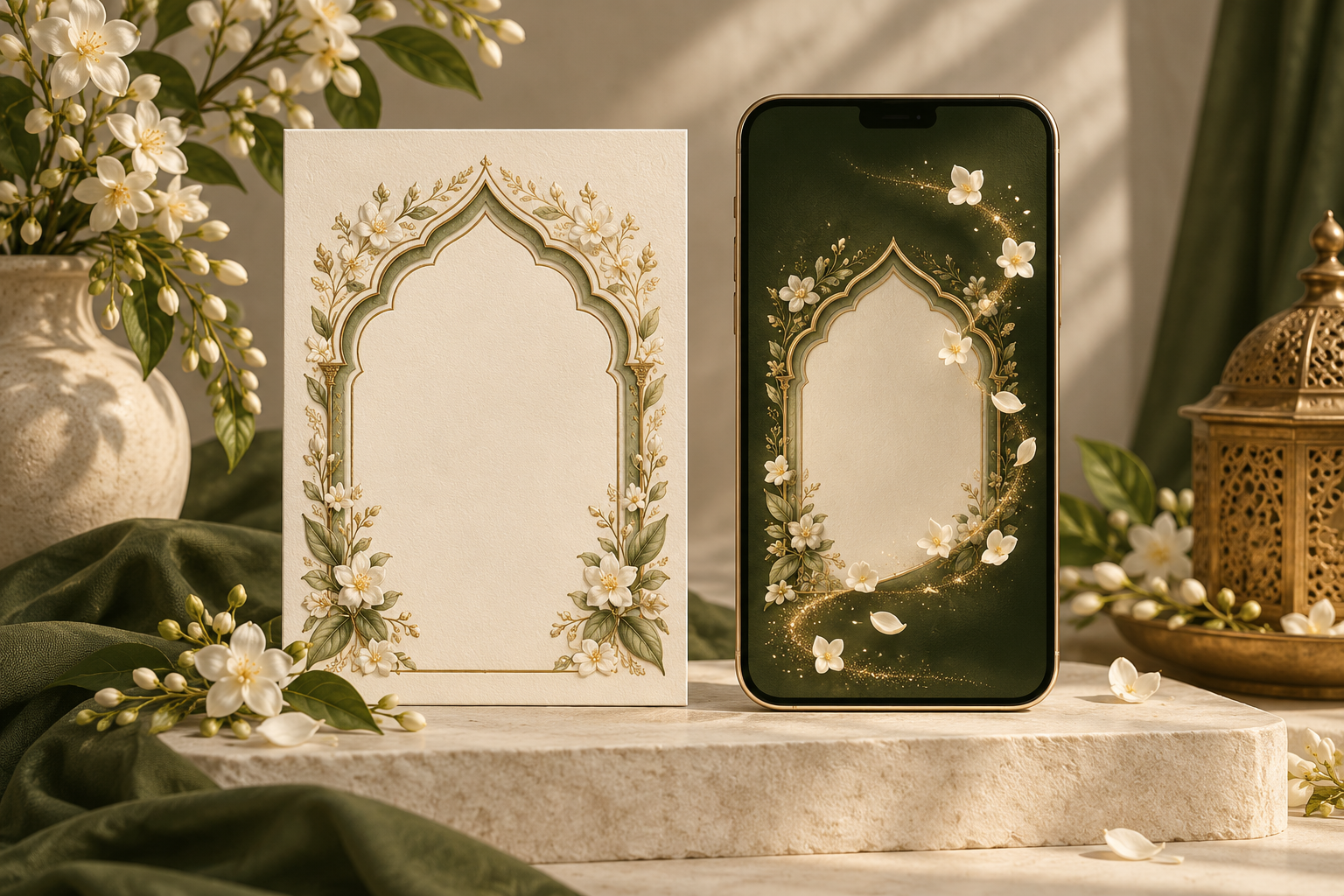
A static Save the Date keeps your announcement in one still image. An animated Save the Date introduces it through movement. For a Nikah or Walima, the better choice is the one that presents your confirmed plans clearly and suits the way your guests will receive them.
Choose a still image if you want names, the event, date and location visible together. Consider short motion if you enjoy a gentle reveal and the important details remain easy to read. Neither format is automatically more thoughtful or more elegant: the design, wording and final phone preview matter more.
Start with the job of a Save the Date
A Save the Date helps invited guests keep a confirmed date free while the fuller invitation is being prepared. It does not need to explain every wedding arrangement.
Before comparing designs, settle the information you can share confidently:
- The couple’s approved names
- The celebration the recipient is being asked to save the date for
- The confirmed date, including the year
- A useful, confirmed location
- A short line explaining that the invitation or further details will follow
If the venue is undecided, use appropriate confirmed location wording rather than a tentative address. Our Save the Date location guide covers city, suburb and venue examples.
Decide who receives the announcement before you design it, particularly when Nikah and Walima guest lists differ. The format should not create an accidental invitation to an event that someone is not attending.
When a static Save the Date makes sense
A still announcement is worth considering when you want the essential details to work as one composition. A guest can open the image, read it and return to the same arrangement later.
It is a useful direction if:
- You prefer a restrained, stationery-like design
- The announcement needs only a few short lines
- You want to judge the entire message at once
- You would rather avoid deciding how scenes, transitions and sound should work
Static does not mean plain. An architectural frame, a carefully chosen photograph or a floral border can give a still announcement its character. Equally, adding more decoration does not necessarily improve it.
The main design challenge is space. If names and family wording are long, a single image can become crowded. Shorten the announcement to what guests need now rather than reducing all the lettering until it is difficult to read.
When an animated Save the Date makes sense
Short motion can create a sense of occasion: an arch opens, floral details appear or the couple’s names are introduced before the date. Choose it because you like the actual movement and composition, rather than because a moving invitation sounds more impressive.
It is a useful direction if:
- You enjoy a brief reveal before the main announcement
- The selected design supports motion
- You are comfortable reviewing the sequence as well as the wording
- The final details remain clear without depending on sound
Motion adds another layer to approve. Beautiful text that disappears too quickly is still difficult to use. A decorative opening should not make guests wait through several scenes just to check the date.
Ask to see the information at normal phone size. Can a new viewer read the event, date and location without repeatedly pausing? Does the announcement still make sense when muted? These checks are more useful than choosing a format from a promotional thumbnail alone.
Compare the same wording in both formats
Keep the wording consistent while you compare design directions. Otherwise, you may end up preferring one example because its message is clearer, rather than because of its format.
Here is fictional sample wording for a single-event announcement:
Save the Date Amina & Zayd Nikah · 20 February 2027 Hyderabad, India Formal invitation to follow
These names, date and location are illustrative. Replace them with your own approved details.
A static layout
The heading sits above the names. The event and date appear together beneath them, with the location and closing line below. Decorative details frame the message without competing with it.
The test is straightforward: can someone identify the couple, event, date and city after opening the image at its normal size?
A short-motion layout
A restrained visual opening leads into the names, then a calm information card presents the event, date, location and invitation-to-follow line together.
The final card should remain visible long enough for your reviewers to read comfortably. This is an editorial scene idea, not a promise that a particular Noor design includes that sequence or a fixed duration.
The facts should match the still example exactly. Motion should change how the announcement is presented, not introduce a different date, event label or location.
If the announcement is for a Walima
Change the event label deliberately and check the entire design. A decorative opening that says “Nikah” cannot remain in a Walima-only announcement simply because the last scene has been corrected.
If you are announcing more than one event, first decide which recipient should see which information. Our Nikah and Walima Save the Date guest-list guide can help you make that decision before the artwork is prepared.
Think about the message around the image or animation
The file is only part of what your guest receives. A clear accompanying message gives context and makes the key date easier to find in the conversation later.
For the fictional example above, you could write:
“Assalamu alaikum! Please save 20 February 2027 for Amina and Zayd’s Nikah in Hyderabad, India. We’re happy to share this first announcement with you. The formal invitation will follow.”
Adapt the greeting and tone to your family. Send only the event information intended for that recipient, and avoid presenting unconfirmed travel or accommodation arrangements as settled.
Test the final file through the channel you plan to use. A preview on the designer’s screen does not show exactly how the received attachment will appear on every guest’s phone. Check the actual delivered version before sharing it widely.
Do not assume that every static file is small or that every animation is difficult to send. File size and clarity depend on the design and export. Ask what will be delivered and check the result.
What to ask before ordering
A useful brief is short and specific. You might send:
“We’re choosing a Save the Date for our [Nikah or Walima]. Our confirmed wording is attached. We like [design name] and would like to compare its static and short-motion options. Please confirm the available formats, what the preview includes and the final cost before starting.”
Replace the bracketed details and attach only the wording or photographs you intend to share.
Then confirm:
- Design support: Is the selected direction available as a still, short motion or both?
- Final output: What file type and orientation will you receive, and where is it intended to be shared?
- A matching still: If you choose motion, can a still version also be supplied, and is it priced separately?
- Sound: If audio is offered, what options are available? Can the announcement be prepared without it?
- Review: What can be changed during the preview stage, and how should corrections be collected?
- Timing and cost: What is the agreed delivery date and total price for the exact requested output?
Do not assume that two formats, music or a particular file type are included unless the studio confirms them.
A final preview checklist
Review the finished announcement before approving it:
- Names are spelled exactly as agreed
- The event label is correct in every scene
- The date, year and location match the approved wording
- Essential text is readable at normal phone size
- Decorative elements do not obscure the details
- An animation makes sense with the sound off
- Reviewers have enough time to read moving scenes comfortably
- Any matching still carries the same information
- The accompanying message agrees with the file
- A test recipient can open the delivered version and find the date
- The recipient list matches the event being announced
Ask a reviewer who has not helped create the design to check it. If they need you to explain which celebration is being announced, revise the wording before adding more effects.
Common questions
Is an animated Save the Date better than a static one?
Not inherently. A well-composed still can feel formal and personal, while short motion can suit a couple who enjoys a reveal. Compare the actual designs using the same wording, then choose the one your guests can read comfortably.
Can we order both formats?
Ask whether the chosen design supports both and whether they are separate deliverables. A matching still can be useful alongside motion, but availability and cost should be confirmed before work begins.
Does an animated Save the Date replace the wedding invitation?
Its job is to announce the date early. The fuller invitation can follow with confirmed event timings, venue details and response instructions. Animation alone does not make an early announcement complete enough to replace that invitation.
Does a Save the Date animation need music?
Your wording should make sense without sound. If you prefer no music, state that in the brief and confirm what the selected design supports. Do not rely on audio to communicate essential names, dates or locations.
Choose your Save the Date direction with Noor
Noor’s Save the Date collection offers static or short-motion options on supported designs. The studio confirms the format and any pricing difference before work begins.
Explore the design directions, prepare one approved set of wording and ask which output suits your plans. The aim is a first announcement that feels like your celebration and makes its most important detail easy to remember.
Explore Noor’s four wedding website samples.
Open each live sample, compare the experience and ask us which design fits your celebration.
Two more useful reads.
 01
01Your Muslim wedding website checklist
The names, timings, family details, venue information and photographs to gather before making your Muslim wedding website.
Read the guide → 02
02Thoughtful wording for Nikah and Walima invitations
Practical Muslim wedding invitation wording for family introductions, Nikah details, Walima invitations and a warm guest welcome.
Read the guide →