
Wedding Invitation Video End Screens: RSVP, Maps and Next Steps
Choose clear closing-screen wording for a Nikah or Walima video, with practical RSVP, directions and website examples guests can act on.
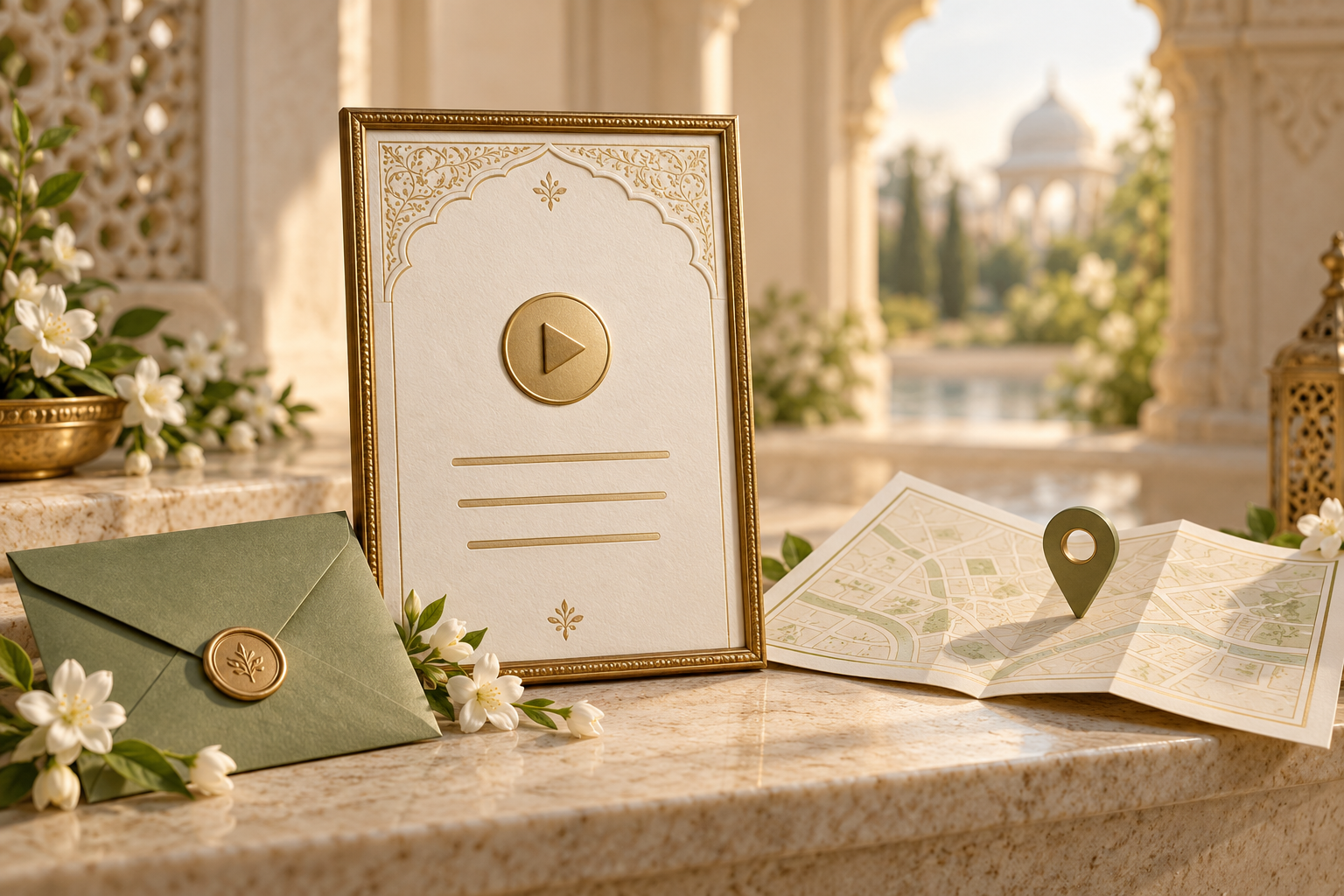
End with a clear action, not a crowded screen
A wedding invitation video end screen should help guests know what to do after watching. For a Nikah or Walima, that might mean replying by a date, opening the venue directions or saving the celebration details. Choose one main action, keep the wording readable and put any working link in the message or guest-facing webpage that accompanies the video.
A button-shaped graphic inside an ordinary MP4 is still part of the picture. It does not become a clickable map or RSVP form. Plan the closing screen and the message together so that the film's promise matches what the guest can actually do.
Decide which job the ending needs to do
Before choosing a closing line, ask what the recipient still needs after the event details have appeared.
- Attendance is not confirmed: give a response deadline and one approved reply route.
- Guests need navigation: identify the venue and point to the directions link shared with the video.
- The film is an early announcement: ask guests to save the date and explain that the formal invitation will follow.
- The full invitation lives on a website: direct guests to the published page for the schedule and any response process it actually includes.
A warm sentence such as “We look forward to celebrating with you” can sit above the practical instruction. It should not replace that instruction when a reply is needed.
There is no need to repeat every event, family name and travel note on the last screen. If the ending is becoming a miniature page of text, decide what belongs in the accompanying message instead.
Four closing-screen examples
These are editable examples, not real client invitations. Replace the brackets with approved information and use only the events and reply options that apply to those recipients.
1. A Nikah invitation with a direct reply
We look forward to celebrating our Nikah with you.
Please confirm by [day month year].
Reply to [approved contact name] using the number shared with this video.
This works when someone has agreed to manage responses. In the message, include the actual approved number and describe whether guests should call or message. Do not leave them to guess which relative is collecting replies.
2. A Walima invitation with venue directions
Join us for our Walima celebration.
[Venue name] · [City]
Open the directions link in the message sent with this video.
Use this when navigation is the main next step and the date and start time are already clear in the film. Repeat the event, date, time and full address in the message, so a guest can find them without replaying the video.
3. A film paired with a wedding website
Your presence would mean so much to us.
For the schedule and directions, open our wedding website.
The link is in the message sent with this video.
If the website also has a working RSVP process, the instruction can instead say “Please RSVP through our wedding website by [date].” Test that process before using the wording. A website link alone does not establish that a response form exists or works.
4. A Save the Date film
Save the date for our Nikah.
[Day month year] · [City]
The formal invitation will follow.
Do not add a final RSVP deadline merely because the template has space for one. An early announcement and a full invitation have different jobs. The Save the Date RSVP guide explains how to distinguish an early acknowledgement from a confirmed response.
Put the real link where guests can use it
The film can show an instruction, but the actionable route needs to exist outside the rendered video image. A practical arrangement is:
- The end screen names the action.
- The accompanying message repeats the essential event details.
- The message supplies the relevant link or contact.
- A guest tests the received copy on a phone.
For example, a directions message could read:
We would love you to join our Walima on [day month year] at [start time]. The venue is [venue name, full address, city]. Directions: [verified venue link]. Please use [confirmed entrance or drop-off instruction, if needed].
Do not literally send the bracketed link placeholder. Paste the verified destination and open it from the received message. Google Maps' own guidance explains how to share a place or dropped pin. Check that it identifies the intended venue rather than a similarly named branch.
A map pin is not a substitute for confirming the usable entrance with the venue. If the property has separate hotel, banquet or service entrances, write the confirmed guest entrance in plain language. Keep changing traffic estimates out of the film; they can become outdated before the celebration.
For a complete companion message rather than just a directions line, use the Nikah and Walima video-sharing examples.
Should the final screen include a QR code?
A QR code may help when someone views the invitation on another screen or uses a supported image-scanning feature. It should not be the only route for a guest watching on their own phone.
Before including one, check that it opens the intended public page, stays large and steady enough to read, and still works in the copy received through your chosen sharing method. Avoid shrinking it into a decorative corner or animating its pattern.
Always send the direct link as well. This lets guests choose the easier route rather than having to pause, capture and scan the video. If the QR destination is a wedding website, the wedding website QR-code guide offers a separate destination-testing checklist.
Make the closing text easy to read
Keep three visual levels: a short warm line, the practical action, and a compact destination or contact cue. Give the action the strongest emphasis. The wording matters more than a large decorative “Thank you” title.
Use contrast between text and background, leave generous edge space and avoid placing essential details over moving flowers or bright highlights. Test the final export in the actual player or messaging app because controls and cropping can change what guests see.
There is no universal number of seconds that suits every closing screen. Ask a reviewer to watch the received copy at normal speed, without pausing, then tell you the required action. If they miss the deadline or destination, shorten the wording or hold the screen longer. Do not rely on the reviewer's memory of an earlier draft.
Keep the important instruction visible without sound. The sound-off invitation checklist helps you check that the film remains useful in a quiet setting or on a muted phone.
Approve the ending with the rest of the invitation
Noor's video invitation service includes portrait 9:16 composition, personalised celebration and venue details, a preview before export and high-quality MP4 delivery. Use that preview to check the ending as carefully as the opening. Confirm any additional website or response workflow separately; an MP4 delivery does not by itself provide a clickable form.
For guests attending only one celebration, make sure the closing wording does not imply an invitation to another. “Join us for all our wedding celebrations” is not an appropriate shortcut for someone invited only to the Walima.
Approve these six points together:
- The named event matches the intended guest list.
- The closing action matches the message or website.
- The deadline is written as a clear date, if a reply is requested.
- The destination opens correctly and shows the right venue or event.
- Any contact has agreed to receive and manage replies.
- The final screen remains readable in the delivered copy.
If something changes after sharing, updating a webpage does not rewrite the old video file. Follow the video correction guide and tell affected guests clearly rather than leaving conflicting versions in circulation.
Frequently asked questions
Can guests tap a map button inside an MP4?
A button drawn into the video is not an interactive map control. Put the working map link in the accompanying message or on the webpage where the film is presented, then test it there.
Do we need a phone number on the final screen?
Only if that is the intended reply route and the contact has approved it. A number in the private accompanying message may be easier to use and avoids putting it into every copy of a publicly shared film.
Can we finish with only the couple's names?
Yes, if the invitation and accompanying message already make the next step clear. When a response is still required, a brief instruction is more useful than making guests search for what to do.
Should the full address appear at the end?
Include it if it remains comfortably readable and is needed there. Otherwise keep the venue name and city clear in the film and repeat the full address with a verified directions link in the message. Do not reduce the text until it is unreadable just to fit everything into one screen.
Can one closing screen work for Nikah and Walima guests?
Only when the wording is accurate for both guest groups. If the invitations, venues or response contacts differ, adapt the closing instruction and companion message rather than sending an ambiguous combined version.
Give guests an ending they can act on
A beautiful final frame can still be practical. Keep the welcome warm, make one next step unmistakable and test the actual link or contact route. The invitation then ends with clarity instead of another question for the family to answer.
Explore Noor’s four wedding website samples.
Open each live sample, compare the experience and ask us which design fits your celebration.
Two more useful reads.
 01
01Your Muslim wedding website checklist
The names, timings, family details, venue information and photographs to gather before making your Muslim wedding website.
Read the guide → 02
02Thoughtful wording for Nikah and Walima invitations
Practical Muslim wedding invitation wording for family introductions, Nikah details, Walima invitations and a warm guest welcome.
Read the guide →