
Save the Date Calendar Links for Nikah and Walima: What to Check
Plan an optional calendar reminder without inventing timings, confusing RSVP responses or leaving guests with outdated event details.
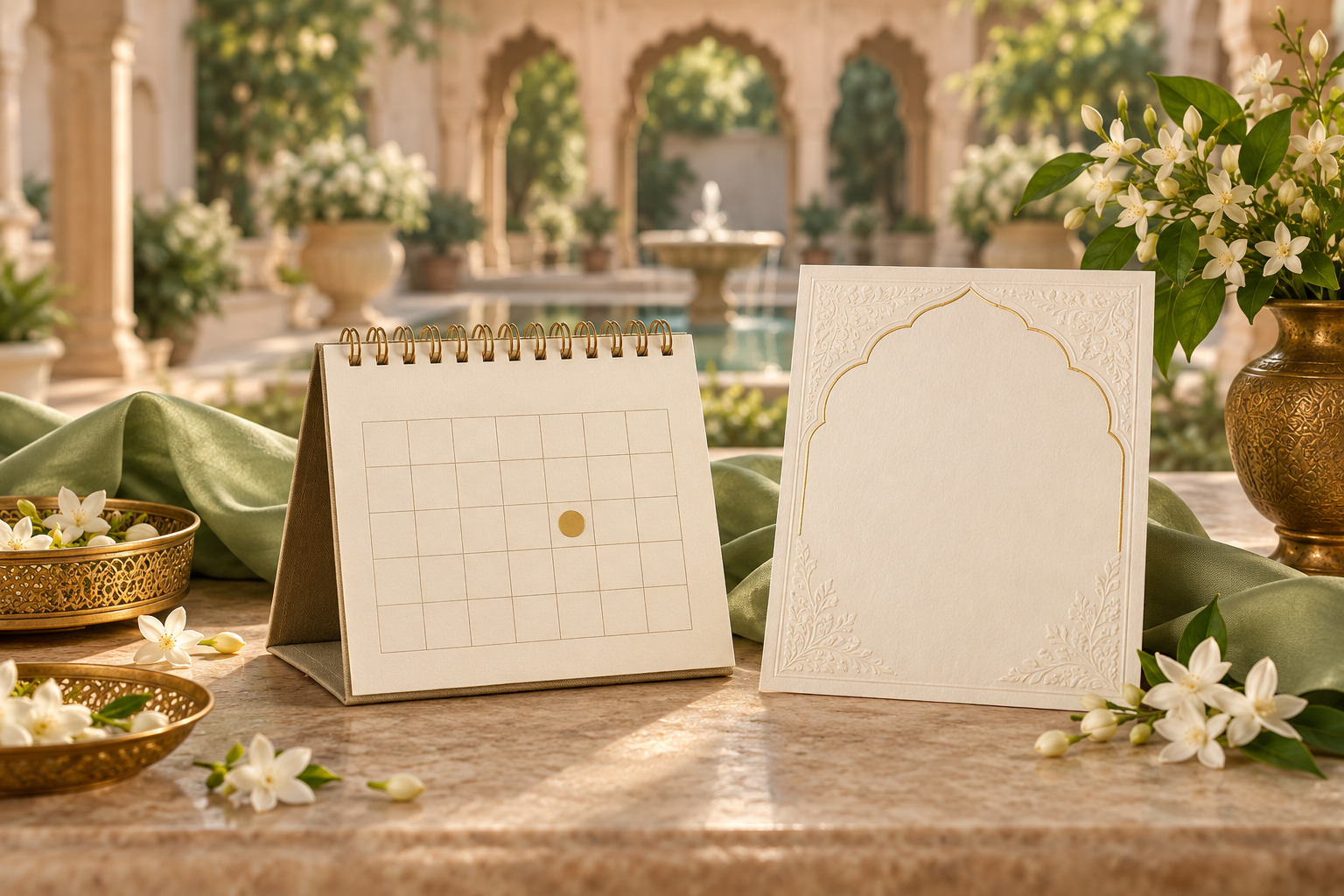
A calendar reminder is useful, but it is not the invitation
A Save the Date calendar link can help guests keep your Nikah or Walima date in their own calendar. It should contain only confirmed information, describe whether it is an early date hold or a timed event, and sit alongside readable announcement wording. Saving an event is not the same as replying to an invitation.
You do not need a calendar link to send a good Save the Date. A clear date written in the message is a perfectly useful starting point. Add a link only when you can test what it saves and explain what guests should expect next.
Choose between a date hold and a timed event
The most important decision happens before you choose a button style. Do you know only the celebration date, or has the actual schedule been approved?
The date is confirmed, but the time is not
Use an explicitly labelled date reminder rather than inventing a start time. An all-day entry can be appropriate for keeping the date visible, provided its title or description says that the event time will follow. Google Calendar supports all-day events, which appear at the top of the relevant day.
Suggested title: Save the Date — [Names] — Nikah
Suggested note: Please keep [day month year] free for our Nikah in [city]. This is a date reminder, not an all-day programme. The formal invitation and timings will follow.
Do not leave a default midnight or morning time in a timed entry and hope guests will understand it as a placeholder. They may interpret the saved time as a real arrival instruction.
The event time and location are confirmed
A timed entry can be useful once the details have been checked. Specify the celebration, date, start time and event timezone in the source you use to create the link. Include an end time only when it is confirmed or clearly described as an estimate.
Suggested title: [Names] — Walima
Suggested note: Walima at [venue, city] on [day month year], starting at [time and event timezone]. Please refer to the formal invitation for arrival instructions and RSVP details.
If a tool requires an end time that you cannot responsibly supply, use a clearly labelled date hold or wait. A required form field is not a reason to turn an unknown detail into a promise.
What the calendar entry should contain
Keep the entry practical rather than copying the whole invitation into it:
- The couple's names, as approved for sharing.
- The specific celebration: Nikah, Walima or another named event.
- The confirmed date, with the year checked carefully.
- A clear indication of date-only versus timed information.
- The city, or the confirmed venue if it is ready to share.
- A short note explaining where the final invitation will arrive.
- A working guest-facing website link, if one already exists and is relevant.
Do not add private planning notes, payment information, an unpublished home address or a relative's personal contact without permission. Treat the calendar description as something a recipient could forward, not as a private conversation with your family.
The Save the Date location wording guide can help you choose between a city and a full venue address without overstating what is confirmed.
Keep Nikah and Walima reminders separate when needed
If the celebrations are on different dates, separate entries are usually clearer than one long block. Guests can save the events that apply to their invitation, and each entry can carry the correct location and wording.
A combined wedding-weekend hold may work for guests invited to the whole programme, but label it as a broad planning reminder. It should not imply that every hour is scheduled or that every recipient is invited to every gathering.
For example, a Walima-only guest should receive a Walima reminder, not an unqualified “Our wedding celebrations” entry containing the Nikah too. Decide the intended recipients before distributing links; the Save the Date guest-list guide covers that earlier decision.
Place the link beside the announcement
A button drawn into a flat image is not an interactive control. If you send the announcement as an image, put the actual calendar link in the accompanying text. Use a label that describes its purpose, such as “Optional: save this date to your calendar.”
Here is an editable companion message:
Please save [day month year] for our Nikah in [city]. We would love to celebrate with you. The formal invitation and timings will follow. Optional calendar reminder: [tested calendar link]. No RSVP is needed at this stage.
Use the final sentence only if it matches your plan. If you need an early indication for travel planning, explain that separately rather than treating a calendar save as a response. See whether a Save the Date needs an RSVP.
For email, a text link can work without a large graphic button. Microsoft's Outlook guidance on calendar links describes sharing an iCalendar file through a location recipients can access. The exact flow varies by calendar app, so test your chosen method rather than promising that every guest will have the same one-tap experience.
Do not assume a saved entry will update itself
A downloadable calendar file and a subscription to a live calendar are not the same arrangement. Before relying on automatic changes, verify the behaviour of your specific sharing method. Do not tell guests that their saved reminder will change merely because you edited your wedding website.
If the date changes, send a clear correction through the original communication channel. Ask recipients to remove or update the old reminder, then provide the corrected details. If the date is unchanged but the final invitation adds a time, tell guests whether to update the existing date hold or replace it with the new timed entry. This reduces the chance of duplicate reminders with different information.
Use the Change the Date wording examples when the celebration date itself changes. A calendar link is a convenience, not a substitute for notifying people.
Test the received link, not only the creator's preview
Send a test message to a reviewer before sharing widely. Ask them to open the link from the message, save the entry in a calendar they actually use, and check the result. Use a clearly labelled test entry and remove it after the review.
Check these seven points:
- The title identifies the right couple and celebration.
- The saved date and year match the announcement.
- A date-only reminder has no accidental start time.
- A timed event uses the intended event timezone and shows a sensible result in the recipient's calendar.
- The location is accurate and ready to share.
- Links and notes remain readable after saving.
- The process does not unexpectedly send invitations to a guest list or expose other recipients.
For international guests, ask a reviewer using another timezone to check the saved result. State the celebration's local time plainly in the invitation as well; that gives guests a reference if their calendar displays a converted time. Avoid ambiguous abbreviations when a city or named timezone makes the meaning clearer.
A successful test is stronger evidence than a button that looks correct in your design editor. Also keep the date in the message so guests who do not use a digital calendar can still act on the announcement.
How this fits a Noor Save the Date
Noor's Save the Date service focuses on a personalised, share-friendly announcement with names, date and a preview before delivery. Do not assume a calendar-link tool or automatic calendar updates are included simply because the design says “Save the Date.” Confirm any additional functionality and scope separately.
You can prepare the announcement first and share a separately tested reminder alongside it. Keep the visual design focused on the essential information rather than crowding it with a long URL. The Save the Date proofreading checklist helps you review the card and companion text together.
Frequently asked questions
Is a calendar link compulsory?
No. A clear announcement and readable date are enough. Offer a calendar reminder as an optional convenience, not a requirement for receiving the invitation.
Does adding the event count as an RSVP?
No. Do not use calendar saves as your confirmed attendance list. Explain the reply process when you send the formal invitation.
Can we send a reminder before the venue is booked?
Only share the details you can confirm. If the date and city are settled but the specific venue is not, say that the venue will follow. Avoid a venue name chosen merely to fill an empty field.
Should we promise automatic reminders?
Avoid a blanket promise. Guests' calendar settings and the sharing method affect notifications. Describe the link as a way to save the date, then let guests review their own reminder settings.
What if guests see the wrong time?
Check the source date, time and timezone, then test a newly saved entry. Explain the correction to affected guests rather than assuming a new link silently fixes the old copy.
Keep the announcement and reminder in agreement
A useful calendar reminder makes a confirmed date easier to remember. Keep its wording modest, test the saved result and give guests a clear path to the formal invitation. The date should be easier to find—not harder to interpret.
Explore Noor’s four wedding website samples.
Open each live sample, compare the experience and ask us which design fits your celebration.
Two more useful reads.
 01
01Your Muslim wedding website checklist
The names, timings, family details, venue information and photographs to gather before making your Muslim wedding website.
Read the guide → 02
02Thoughtful wording for Nikah and Walima invitations
Practical Muslim wedding invitation wording for family introductions, Nikah details, Walima invitations and a warm guest welcome.
Read the guide →